FLICK / HARMONYOS

Similar shots together.
Choose one to keep.

Compare the photos, stage the ones you no longer need, then confirm deletion.

Coming soonHuawei AppGallery · Mainland China

Preparing for Huawei AppGallery in mainland China. A download link will appear here after launch.

HarmonyOS 6.1.1 or later · Version 1.8.0 · In-app purchase

See the actual workflow ↓
Compare similar shots

See the actual workflow

Real HarmonyOS device UI. Private photos have been replaced with demo images; counts and storage are examples.

01

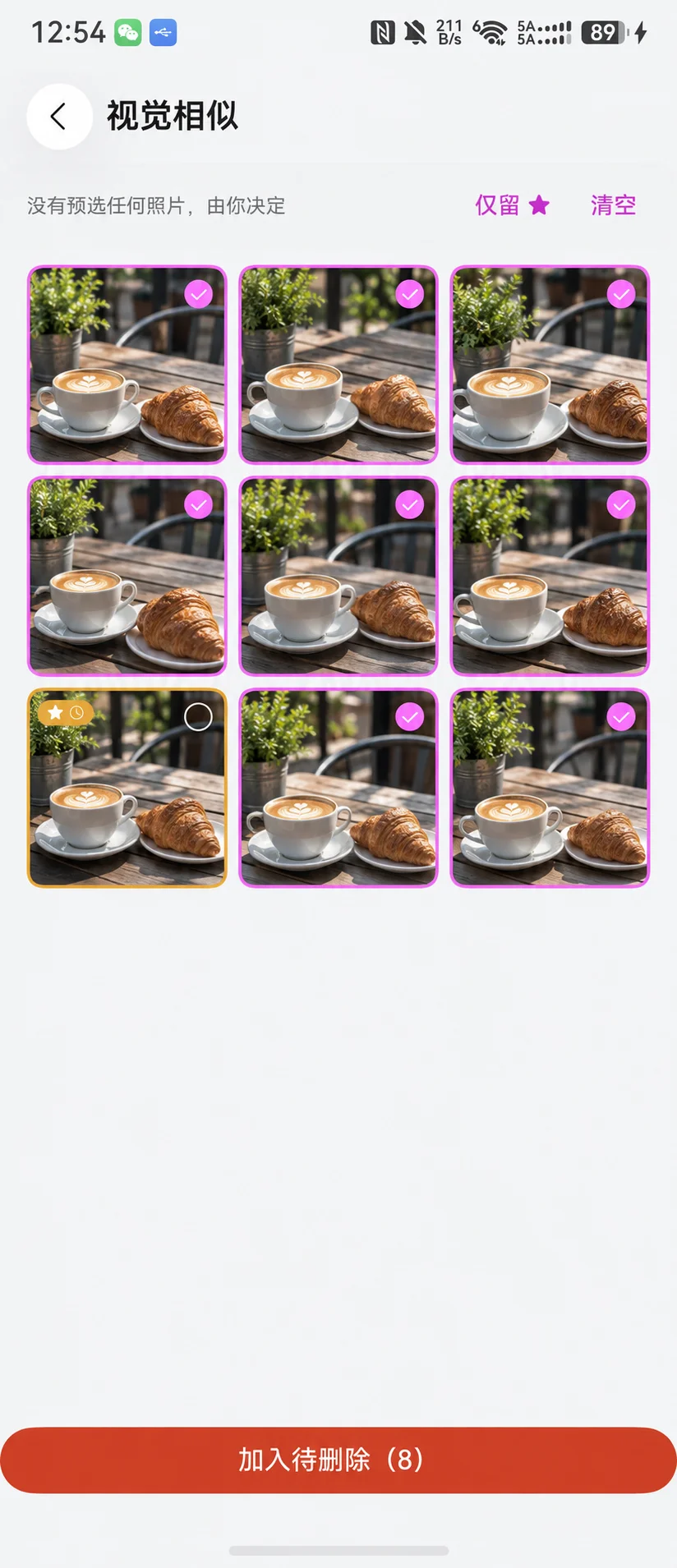
Compare similar shots

“Keep only ★” selects the other photos. Adjust the selection yourself; a recommendation never deletes a photo for you.
Compare similar shots
02

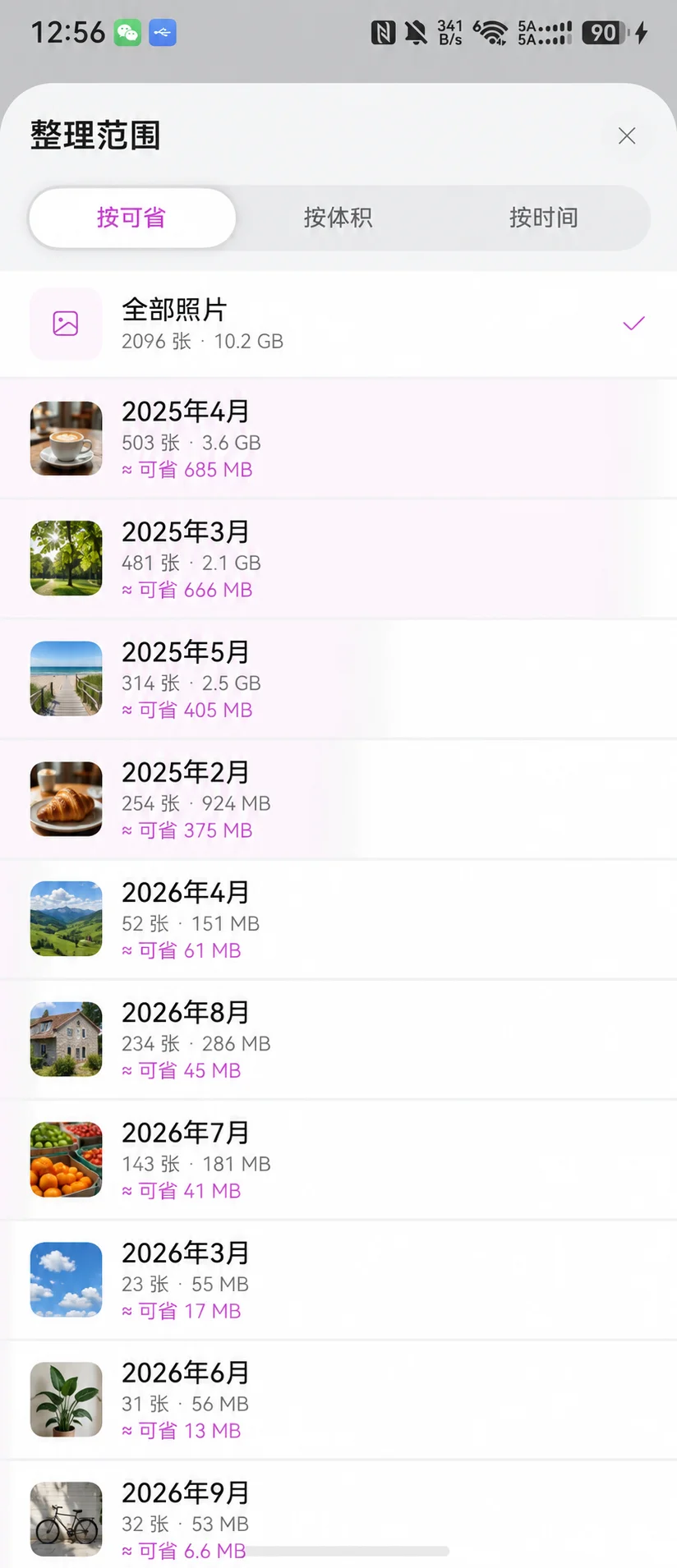
Start with a month

See the count, size and estimated savings for each month. Sort by savings, size or date.
Start with a month
03

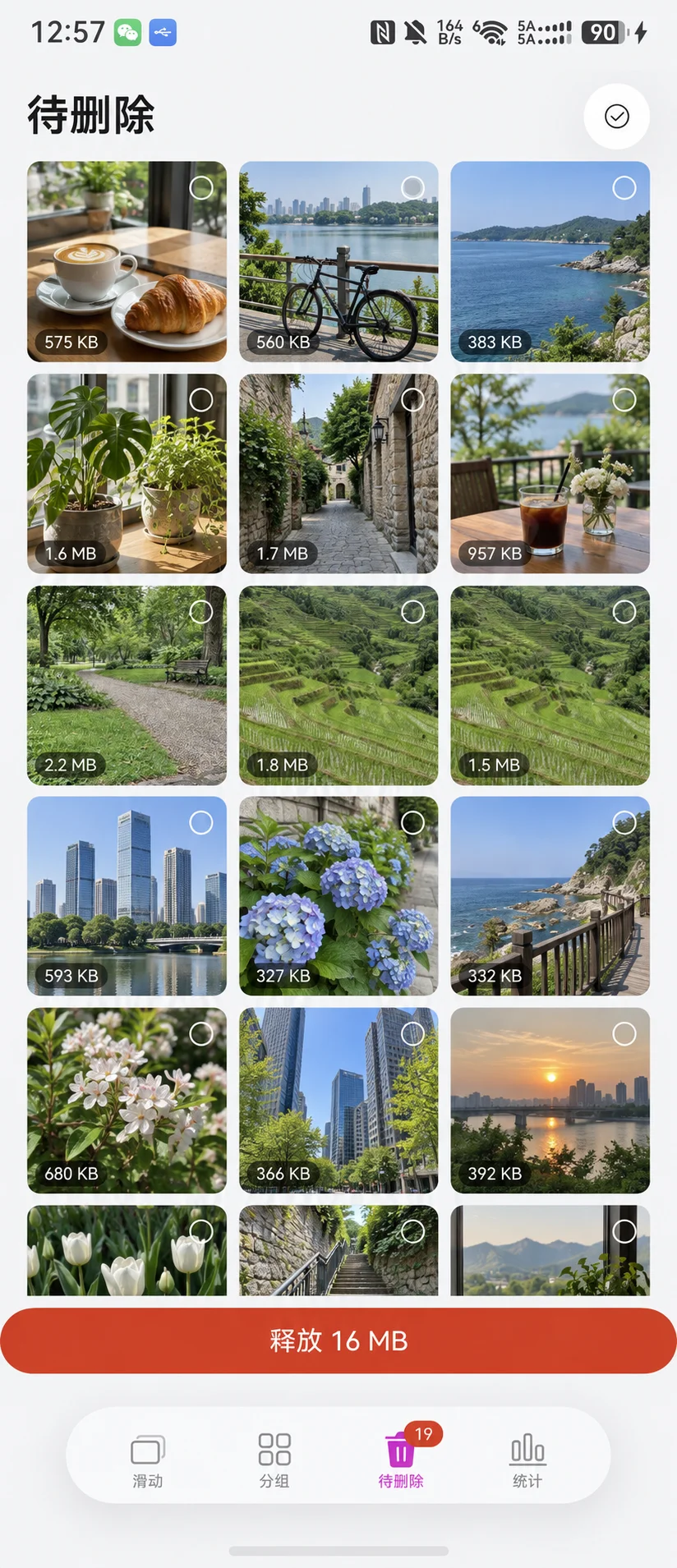
Review Pending once more

A left swipe does not immediately delete the original. Review the contents and confirm before the system deletes anything.
Review Pending once more
04

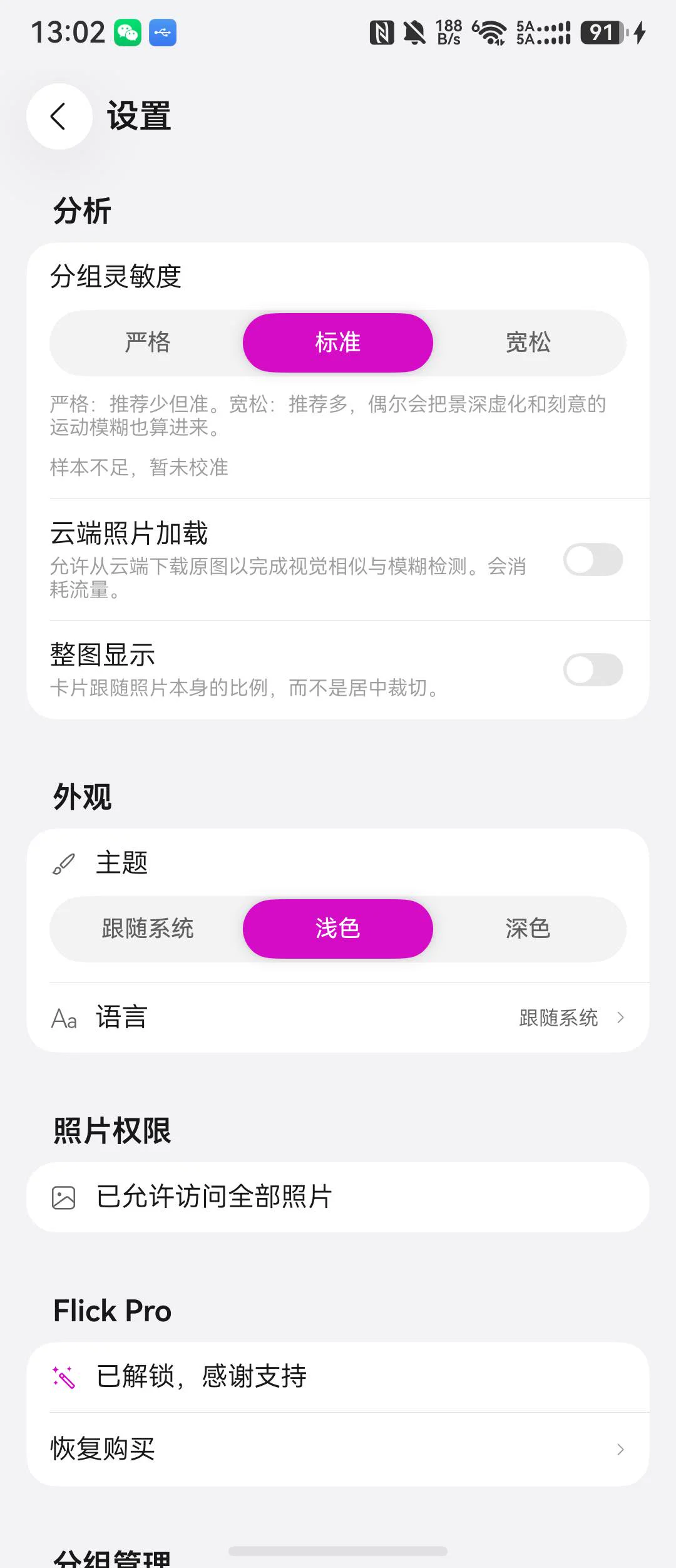
Choose your settings

Adjust grouping sensitivity, load cloud originals when needed, and choose full-image display or a light or dark appearance.
Choose your settings

Pad and 2in1

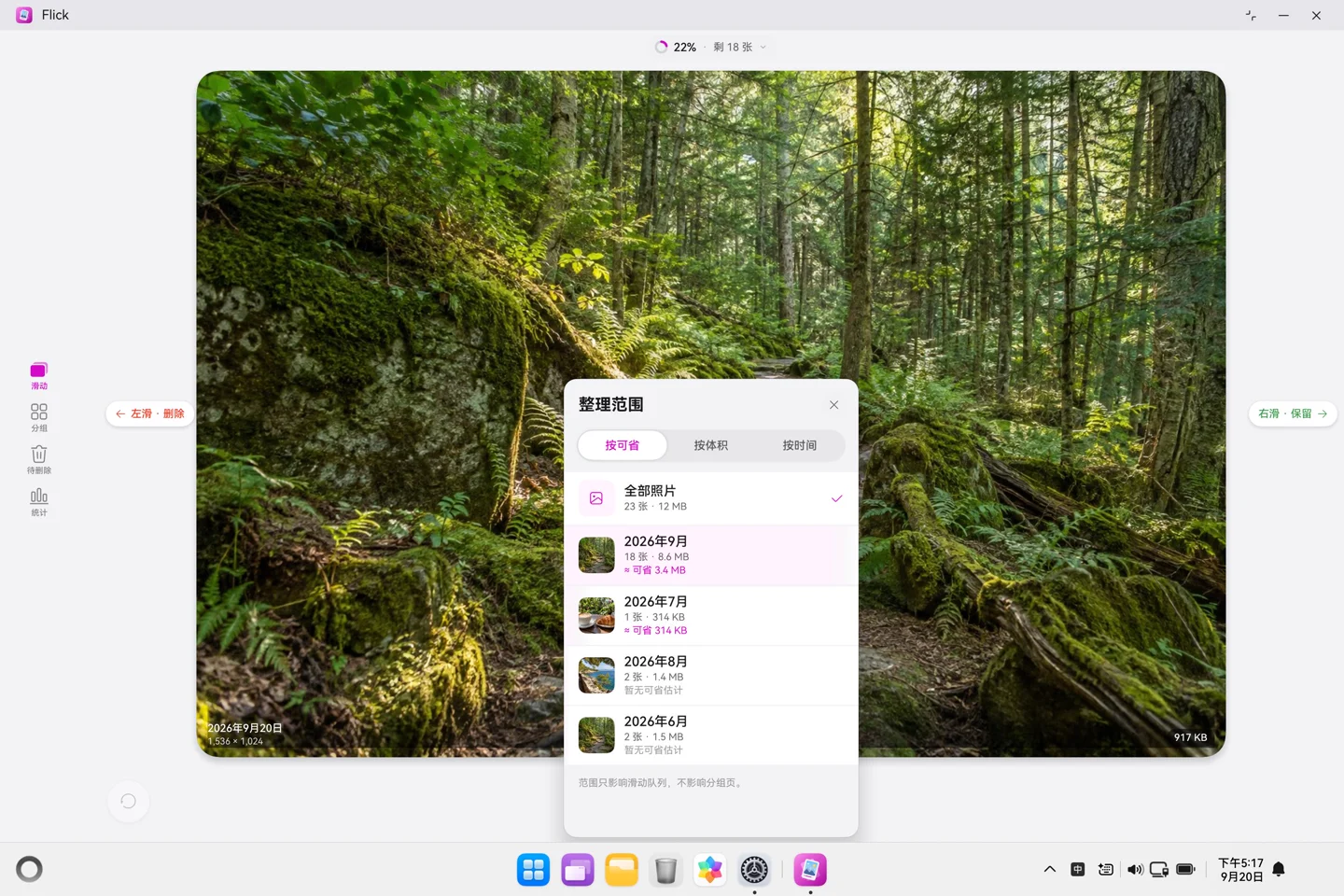
A landscape layout on Pad. A desktop window on 2in1.
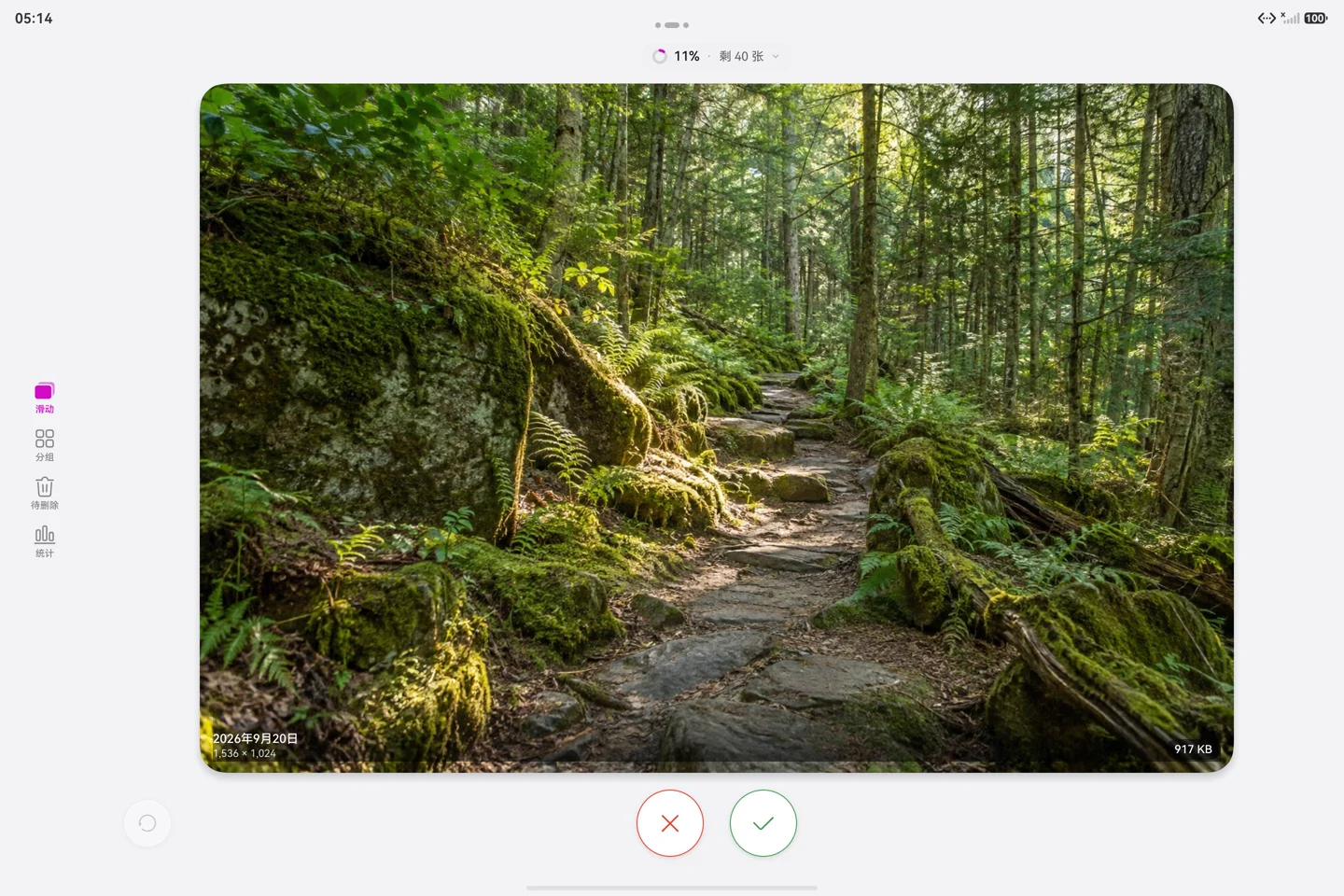
Pad · Full-photo view
2in1 · Choose a month

Actual app screens captured in the official DevEco emulator, shown in Simplified Chinese. Photos and figures are demonstration content.

The workflow in 30 seconds

An edited demonstration made from device screenshots with replacement photos, not a continuous screen recording.

About the HarmonyOS version

  • Groups cover the full photo library. Month selection sets the scope for swipe review.
  • Space savings are estimates. Actual reclaimed space depends on the system’s result.
  • Service widgets and Xiaoyi shortcuts are HarmonyOS features. iCloud, Siri and Apple Family Sharing belong to the Apple version.
  • The free photo deletion allowance is lifetime: both 20 photos and 100 MB. Exceeding either requires a one-time Pro purchase; it does not reset monthly.

Questions

Can I download it now?

The HarmonyOS app is preparing for release. This page will link to its Huawei AppGallery listing after launch.

Does my Apple Pro purchase unlock HarmonyOS?

No. Purchases and restoration are handled independently by each platform’s store.

Are my photos uploaded to Flick?

No photos are uploaded to a Flick server for analysis. Cloud originals are loaded by the system according to your settings; purchases use Huawei’s system store services.